

Menu
Email is simply the best way to connect with your leads and build a meaningful relationship with them based on trust. If you already have an email list and wondering what to do with it, it’s time to implement marketing tactics to help you take care of your list. In this article, I discuss effective email list marketing strategies. Plus, I list down the metrics that indicate your strategies are working.
If you want a more detailed discussion, you can read my articles on how to build an email list and how to grow your list. But if you already have an email list, or if you just want a summary, here’s the short version.
A lead magnet, also called an opt-in bribe, is something of value that aims to entice your target audience to provide their email address and be part of your email list in exchange for that bribe. You’ll need to ensure that your lead magnet is highly valuable and attractive to your target audience. Some lead magnets you can offer include checklists, cheat sheets, templates, worksheets, and infographics.
Once you’ve created your lead magnet, you’ll need a landing page to offer the lead magnet from, and more importantly, collect your leads’ email addresses.
When creating a landing page, you need to have an eye-catching and descriptive headline, and you need to outline how your lead magnet can help them. Your lead capture form needs to be prominent. Include a link to your privacy policy so your leads are convinced that their information is safe with you. Last but not least, you need a compelling CTA for them to sign up.
You’ll want to have visitors and casual readers to be able to sign up easily to your mailing list. They’ll likely come through blog posts that someone shared with them, or through search results while they’re looking for something to solve their problems. When they find your content helpful, they may want to have more of your content and what you have to offer.
Building opt-in forms feels a bit like building a mini-landing page, and in a way it is. What’s more important here is that you place the opt-in forms on your blog so that your readers will be more inclined to click on them.
You may not want to spend a lot if you’re just starting out, but you’ll need a professional email marketing service if you’re serious about building and growing your mailing list. There are many service providers out there, but some of the popular ones are Mad Mimi, MailChimp, GetResponse, and ConvertKit.
After you’ve chosen your service provider, you’ll need to set up the service so it’s ready to go. First, you need to create or upload your list, set up your “From:” name and email address, and then set up their tracking tools.
With your lead magnet and logistics already set up, it’s time to start writing the emails that you’re going to send out. Most reputable email marketing services already have their templates, so what you’ll need to focus on is the type of email and the content. Whatever type of email you’re sending out, you need to make sure that it’s engaging, relatable, and not spammy; in other words, don’t only email when you want to sell something. Email because you have something your readers will find useful.
Once you have the basics set up, you can focus on increasing the number of
There are numerous tips on how to grow your email list, but here are a few worth mentioning:
Here are some more reminders when you’re building and growing your email list.
Before I dive into strategizing, let me delve first into the foundation of any truly effective email strategy: building relationships with your leads.

Building and growing your email list are essential, of course. After all, to do email marketing, you have to have people to market to. But quality always trumps quantity, and email lists are no exception to that.
So how do you build an email list with high-quality, engaged leads?
By building relationships.
Email is a virtual communication tool, so how do we build real, lasting relationships through a virtual channel?
Email gives you the privilege (not the right) of direct access to your leads. Use this privilege wisely by sending valuable content that inspires, informs, and educates. The aim is to connect with your leads and build a mutually beneficial relationship. Without a relationship, no email marketing strategy will save you.
When people respect, believe, and trust you, they WILL buy from you.
In 2015, the number of business emails sent and received per user in a day totals 122, according to this report by The Radicati Group. And this number is projected to grow even larger. So how do you compete with all these emails for your leads’ inboxes? You’ll need an effective email marketing strategy. Here are some of them to get you started.

The main objective of email marketing is to deliver the right message to the right people at the right time for the right reason.
When you’re starting out with email marketing, you’re sending a one-size-fits-all email communication to all your customers. But as your email list grows, you’ll want to split them up into smaller groups, or segments, so you can send more targeted emails. This practice is called segmentation.
With segmentation, you’re able to send more targeted communication, as well as send exclusive offers to those who appear more engaged. Segmenting email lists has been proven to increase the effectivity of email campaigns.
You can create different segments to provide more relevant information to your leads. Here are a few ways to segment an email list:
These are a few basic requirements you’ll need to segment your list successfully.
My recommendations all allow segmentation of email lists, but if you’re planning to use another tool, this is one of the first features you need to check.
You’ll also need to have specific opt-in forms that will target specific readers depending on where they signed up, such as from a blog post (and which blog post), or from the Contact Us page, or from an exit-intent popup.
If you followed my previous post, then you should already have a lead magnet. But if you’re serious about segmenting and growing your email list, it’s time to start creating multiple lead magnets that would apply to different segments of your email list. I’ll touch on this further down this article.
It’s never too early or too late to start segmenting your email list, but whenever you decide to start, it can be an intimidating task. It’s so much simpler to manage a single email list, and your email campaigns can quickly devolve into madness if you’re not careful.
Here are some steps to help you plan out a system that would work for your segmented email marketing lists.
You can’t segment your email lists without data. But I did say to only ask for your potential leads’ name and email address to increase signup rate. Thus, the data you have aside from your leads’ names and email addresses are what your analytics or built-in tracking software tell you.
This is normally information like how they got to your blog (search result? Social media?), location, device, browser, which page or post they were on when they signed up, which lead magnet they signed up for, their behavior after they signed up (go back to the post they were reading? Share on their social media?), and other data.
If you’ve started selling your own digital products, some of your customers may have opted in to your mailing list (if not, don’t assume they have). You should have the information from their order that you can use to send further promotional emails (again, only do this if they opted in).

You likely won’t have all the data you want. If you need to ask for more data from your leads, try asking them. Send an email to your existing list with a survey, along with a link to your privacy policy to reassure them that their data is being taken care of. Start placing page-based opt-ins on your page so you can have new visitors with different interests sign up based on the type of content they’re interested in.
Choose two segments and start writing emails for these segments. For example, you can write to your leads who opted in from two different categories in your blog. You can apply these tips, but now instead of just writing one email going out to your entire email list, you’re writing for different segments.
At this point, it’s tempting to segment your list on every little detail. But you risk making too many segments and confusing yourself. Stick to two segments at a time and see how it goes. If it doesn’t pan out, try another method of segmentation. Finding the right segments does take time and a lot of testing, so don’t fret if you don’t get it right the first time.
How your email marketing service handles segmented lists will vary, so you’ll need to consult the knowledge base and documentation of your email marketing service so you can properly send your emails to the right segments.
As always, do some split testing to find what emails work for which segments. Monitor your metrics and see if your engagement improves. If your engagement dips, try tweaking your email content or try adjusting your segmentation strategy.
Segmentation and personalization look like the same thing, but they aren’t.
Segmentation is grouping your email list into smaller groups, while personalization is targeted to an individual. Segmentation is a key component in sending personalized messages to your email list, but personalization starts with a better understanding of the individuals you are trying to reach using the information you have on them.

Out of all the generic marketing messages your leads receive, the personalized ones stand out. Being treated as an individual creates a connection between you and your lead that generic messages just can’t.
However, merely using their first names in your subject line is not enough. You’ll want to create personas for your leads to help you define which people need which messages and content from you. If you’re in a highly specific niche, this should be a snap, but if you’re in a niche that has some variety, creating personas could be immensely helpful for you. Here are some questions to get you started.
You’ll probably come up with at least three personas. Once you’ve defined these personas, you’ll be more focused when creating your content and your lead magnets. Most of all, the emails you send will also be more targeted. Ultimately, personalization results in a more meaningful relationship with your leads.
Email personalization doesn’t have to be complicated. Here are relatively simple but clever ways to use personalization in your email marketing.
It’s simple, but it works. Asking your leads what type of content they’d like to receive from you would help a lot in your personalization strategy.
For example, if you’re blogging about women’s fashion, you can ask your leads if they’d like to know more about luxury brands, medium-priced, or mass market clothing. That alone would help you a lot in tailoring the right content to the right people and in increasing your open rates.
If you followed my advice and started creating content upgrades for your most important blog posts and their individual landing pages, you can then track which landing page your leads came from and which lead magnet they downloaded. From there, you’d have an idea what type of content they’re interested in.
You don’t really need to think about this if your leads are more or less from the same place, but if your readership expands and you rack up leads from different parts of the country (if you’re from the US) or even from other countries, then optimizing the time your emails are sent could make a significant difference in your open rates.
Autoresponders are automated emails sent in response to an action that your lead has taken on your blog, and is thus highly personal. Examples of this type of email include your welcome email/email sequence, the confirmation email when they go to your Contact Us page and submit a contact form, and emails when they comment on one of your blog posts. I’ll talk more about autoresponders further down this article.
Now that you’ve grown your list quite a bit and have thoughts on how to personalize your emails to your leads, you can start thinking about email automation.
Automating your emails allows you to personalize your emails so that you’re not just sending out the same emails to everyone all the time. It enables you to do email segmentation and personalization more efficiently, as you only need to write the email series once and then set the order and interval at which they’re going to be sent.
First, let me just differentiate autoresponders from scheduled emails.
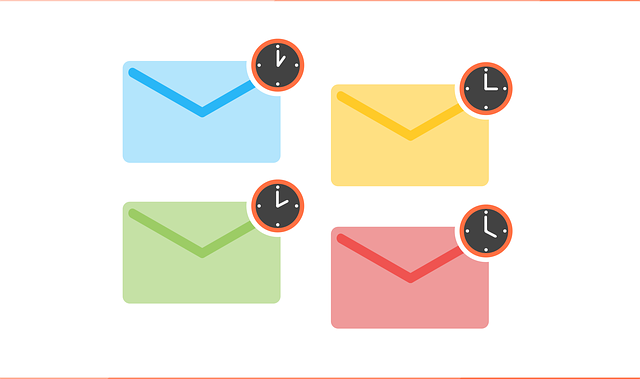
Scheduled emails are those that are sent out to your email list on a specific date. Examples of this include your email newsletter, promotional emails for your new blog posts, or promotional emails for your guest post to another blog. Depending on your selected email marketing service, you can personalize these emails as well, but scheduled emails are sent out when you scheduled them.
Autoresponders, by contrast, are emails that are automatically sent out based on a trigger/s that depends on your lead‘s actions. These can be time-based, action-based, or behavior-based.
A welcome email series is an example of a time-based autoresponder when you set it to send emails automatically upon sign up, and then every day after that for 7 days. Action-based autoresponders include those emails you send when your lead downloads something from your blog, like one of your lead magnets or freebies. Examples of behavior-based autoresponders include emails when your lead goes to the landing page for a particular lead magnet but doesn’t go through with the download.
If you’ve chosen the right email marketing service, everything you need to set up automated emails should be in place. It’s up to you to compose them, describe the triggers, and then set up the interval in which they are sent if you’re sending a series of emails.
Autoresponders help you save time, create a favorable first impression, and engage your customers through consistent communication. Here are some effective types of autoresponder emails that you can start setting up.
Once your leads have subscribed to your email, you can use an autoresponder to welcome them to your mailing list. As I described here, a welcome sequence instead of a welcome email enables you to do much more than just simply welcoming your leads to your mailing list. It’s a chance for them to know you and your blog a bit better, and to give your leads an opportunity to connect on social media as well as to be familiar with all the sections and categories of your blog.
When you’re actually selling on your blog, you can also use this to offer a welcome gift or welcome discount code to your product/s.
This is where your tracking comes in handy. Based on an action that your leads take, you can send emails to them with links to related blog posts (note the word related). This action can be subscribing through a content upgrade of one of your blog posts or when they leave a comment on one of your blog posts. You can say something like “I see you’re interested in [blog post category]. Here are some more blog posts from that category that may interest you, too.”
When your leads subscribe by downloading your lead magnet or a content upgrade, you can send an email after a few days asking them for feedback about what they downloaded. The questions you ask can be as simple or as long-winded as you want, but bear in mind that the easier you make it for them, the greater the chances of them actually answering and giving you the feedback that you want to know. You can also ask feedback about a product if you decide to start selling products as well.
Your leads want to feel special and connected to you, and you can foster this feeling by celebrating the anniversary of the day they signed up for your mailing list. This can be a freebie, a chance at a meet and greet with you (personal or virtual), or a special discount if you’re already selling. Be creative here, but the point is making them feel that you sincerely appreciate them.

Some larger businesses email out birthday gifts. You can do this too, if you have their birthdays for some reason. You can probably ask your most loyal customers at some point, but if you’re just starting to build trust, then this might not be a good idea.
When you send an email and the recipients don’t open it, you can send another one within a few days to follow up. This can be as simple as resending the first email with a different subject line. Another case when follow-ups are applicable is when reaching out to members of your mailing list that haven’t been opening your emails for a while, say 6 months. You can also use this for recipients who’ve signed up and received a link to download their lead magnet or content upgrade but haven’t downloaded.
Every time a reader does something on your blog–subscribe, download a content upgrade, comment, fill out a contact form on your Contact Me page, or purchase something–a confirmation email is expected, and rightly so. Your leads will want to be assured that the action they did was completed. This works for you as well, because this is a chance for you to further engage them. You can make the confirmation email a content offer email like I described above, or you can urge them to share your blog post or lead magnet to their social media followers. It’s up to you to be creative in designing the confirmation emails you send out.
As I’ve mentioned here and here, email courses and email challenges, respectively, can work as great lead magnets. They’re set up as autoresponders, as the emails need to be composed beforehand and the order and frequency have to be predetermined as well.
Select a type from the list above, or you can even make your own combinations.
Create an outline of your email sequence. How many emails should there be? How many days in between emails? What is the ultimate goal of this autoresponder?
There isn’t an exact formula for this, but the general rule is to send just enough emails to accomplish your goal; no more, no less.
As with all writing related to your blog, always remember to focus on the readers and how your email will benefit them. Your content and your emails need to solve their problems, not merely serve your goals. Make sure personalize your emails and subject lines to get your recipients to open your emails.
Test to find what type of content works for your autoresponders and which emails are being opened by your recipients. Monitor your metrics and see if you can improve the numbers. Always ask yourself about how relevant these emails are, if you’re sending them too often or not often enough, and if your subject lines are convincing or “meh.”
Also, check if they’re clicking on your CTAs within the emails that you’re sending. If they’re opening the emails but not clicking the CTAs, the body of your email may need to be more convincing, or your CTAs might need to be more compelling.
Bottom line: Always be on the lookout for areas you can improve.
Email segmentation, personalization, and autoresponders are effective email list marketing strategies. Even after all of that, there are still some tactics you can apply to improve the rate at which your emails are opened by your leads. Below are some additional strategies to implement.
First off, who are doing these fake signups and what do they get from it?
Mailing list spammers are automated bots (that’s why they’re also called spambots) that find signup form code on your blog to submit fake information to your list. It’s possible that they’re getting your “From” address so they can sell it or use it to send more spam emails. It’s anybody’s guess, but it is happening, and it is a huge deal.
Obviously, it’s worth doing every effort to prevent these spambots from signing up to your email list. Here are some ways you can fight them.
The double opt-in method is where a lead will sign up through your landing page and then receives an email with a link to confirm their intent to join your mailing list. This is standard practice and not only prevents spambots from signing up but prevents humans who only want your freebie but don’t want to sign up to your mailing list so they input fake emails. Nowadays, however, spambots have evolved and are able to do the double opt-in procedure, so don’t let this be your only security measure.
Objectively, this prevents spambots to go through, but this also turns off actual humans from signing up. If you do use a Captcha, try to find a user-friendly one, like the one that requires you to solve a simple math problem.
There are a lot of anti-spam and security WordPress plugins available that can help you protect your blog.
A honeypot is a security mechanism used to detect spambots. On the signup form, there are fields that are hidden from humans through code but that spambots can see and fill out. If these fields are filled out, that’s a sign that whoever is signing up is a spambot. Plus, it isn’t as disruptive to the user experience as Captcha is.
Even if you implement all of the above techniques, spambots may still go through. You need to periodically check your email list for any suspicious emails. Here are some telltale clues that an email address you have on your list is fake:
It’s bound to happen.
Sooner or later, some of your leads are going to just drop out of the radar. No, not unsubscribe. They just suddenly stop opening your emails for some reason.

It could be information overload, irrelevant content, they changed jobs or moved somewhere else, or they just signed up for a one-time offer or a lead magnet too good to just pass up, and then had no intention of ever opening your emails.
C’est la vie, right? Just move on, continue growing your email list, and let the inactive emails fall through the cracks.
Nope. Inactive subscribers hurt your sender reputation.
As the number of your inactive leads increases, your engagement rate drops, which leads to your “From” email address having a bad sender reputation and your emails going to spam folders. Worse, inactive emails can be reclaimed by email providers and then reused as spam traps. If you keep sending emails to spam traps, your sender reputation goes down even more and you might be permanently banned from sending any type of email.
It’s a much more practical approach, then, to try to win these leads back. Here’s an overview of the steps you can take to try to reengage these leads.
Here are some best practices to keep in mind when you’re doing a reengagement campaign.
These have been proven to work for other bloggers and marketers. But how do you know your strategies are working? You’ll need to track the metrics that indicate high engagement.
A hard bounce is a permanent bounce when you send an email to an invalid email address, i.e., one that does not exist anymore. The hard bounce rate is given by the number of hard bounces over the total number of emails sent. You’ll want to keep this low.

Photo credit: Roger Smith via Visualhunt.com | CC BY-NC-ND
The open rate is given by the number of emails opened over the number of emails sent, excluding the number of emails that bounced. Because the result is a percentage, this is more indicative of how engaged your audience is than the actual number of recipients and opens. Thus, it’s better to have 100 subscribers with 10 opens (i.e., a 10% open rate) than it is to have 500 subscribers with 40 opens (i.e., an 8% open rate).
The clickthrough rate (CTR) is given by the unique clicks over the number of emails sent, excluding the number of emails that bounced. Thus, CTR is the percentage of recipients that have clicked on a link in your email.
The email share rate is given by the number of clicks on a social share/forward to a friend button over the number of emails sent, excluding the number of emails that bounced. This metric is another good indicator of engagement.
The spam complaint rate is given by the spam complaint number over the number of emails sent, excluding the number of emails that bounced. You’ll want to keep this low.
The unsubscribe rate is given by the number of recipients that unsubscribed over the number of emails sent, excluding the number of emails that bounced. This counts both the clicks on the Unsubscribe link on their emails, as well as the unsubscribe function on their email inbox, if any. Same as for spam complaints, you’ll want to keep this low.
Knowing these metrics is half of it. Here are some ways to improve your numbers.

If your emails go straight into spam folders, they’re not being opened and they’re not being read. Here are some tips to keep your emails from falling in spam folders:
Once you’ve made it into your recipients’ inboxes, you’ll want them to open your emails. Here are some tips to write subject lines that encourage your recipients to click on them.
You don’t want your welcome email to be the only email your recipients ever open. Here are some tips to inspire them to open all the emails you send.
Too many hard bounces reeks of an old or stale list. Keep your list fresh.
Spam complaints can hurt your sender reputation as well as the reputations of all the other bloggers and marketers who are using the same email service provider (and therefore the same IP address).
You want to lower your unsubscribe rate, yes. But you don’t need to take it personally because it’s part of the game. Here’s how to manage people opting out of your lists gracefully.
If you’re determined to make money from your blog, you’ll need a high-quality email list and a robust email strategy. With that combination, you can turn your leads into first-time customers, and eventually repeat customers.
Some of the strategies we covered were email segmentation, personalization, and autoresponders. Preventing fake email signups and reengaging with inactive people on your list are also powerful techniques you can use. I also listed down the 6 metrics that matter, as well as tips on how to improve them.
Here are some more pointers that you have to keep in mind when developing an effective email list marketing strategy.
Reputable email marketing services like to remain reputable. They have tons of information available to help you build a strategy that isn’t spammy and that doesn’t violate their terms of service. They will contact you if you’re getting too many spam complaints, or if for any reason they sense that you’re not playing by their rules. Listen to what they have to say.
Unsubscribes are not the end of the world. People unsubscribe for a variety of reasons (which you should have asked them before they went!), but it’s better to get and retain interested leads than beat yourself up over the ones that go.
Think about it. It saves you the effort of reengaging them because they’ve made it clear that they don’t want to hear from you. It saves you money; paying your email marketing service for names that are unengaged is money down the drain.
Plus, it saves you energy from people who just want a free lunch, so to speak. Now that these people aren’t in your list anymore, you can now focus on serving up valuable content to your leads and creating awesome products that solve their problems.
So unsubscribes are okay. Find leads to grow your email list and say bye-bye to those who aren’t interested.
Whatever strategy you’re testing or implementing, be consistent with what you promised your subscribers. If they wanted to be alerted of new blog posts, alert them. If they wanted weekly updates, email them weekly. Surprising your list by emailing more frequently without informing them will quickly get your email deleted or marked as spam. On the flip side, never emailing them when you’re supposed to will likely make them forget all about you. Just be true to what you promised.
Email campaigns are meant to last short-term and have set end dates. But email marketing isn’t solely one campaign. It’s a dynamic, comprehensive strategy that should be seen as part of your blogging journey for the long haul. It needs to evolve with you, your blog, your audience, and current trends. Keep growing your list, keep testing your emails, and keep providing value for your audience.

Which strategies will you try today? Did any of them work for you? Tell me your story in the comment section!
JoAnne is your average, everyday, sane stay-at-home mom who believes in the power of the internet to make dreams come true. She has an insatiable appetite for chocolate, as well as all things internet marketing. She keeps up with the latest trends in blogging, affiliate marketing, e-commerce, and more.
